Export Overview
Export your creations in multiple formats for different platforms.
Quick Comparison
| Format | Best For | Animation | Quality | File Size |
|---|---|---|---|---|
| MP4 | Instagram, TikTok, Facebook | Full | Excellent | Medium |
| GIF | Twitter, Discord, Slack | Full | Good | Large |
| SVG | Web, Scalable graphics | Limited | Perfect | Small |
| Professional printing | None | Print-ready (300 DPI) | Small | |
| PNG | Static images, print | None | Up to 600 DPI | Medium |
| Lottie | Web/mobile players, After Effects | Full | Excellent | Small |
| Widget | Any website, overlays, embeds | Full | Excellent | Tiny (8-20KB) |
Opening Export Dialog
- Click Export in the header, or
- Press Ctrl/⌘ + E
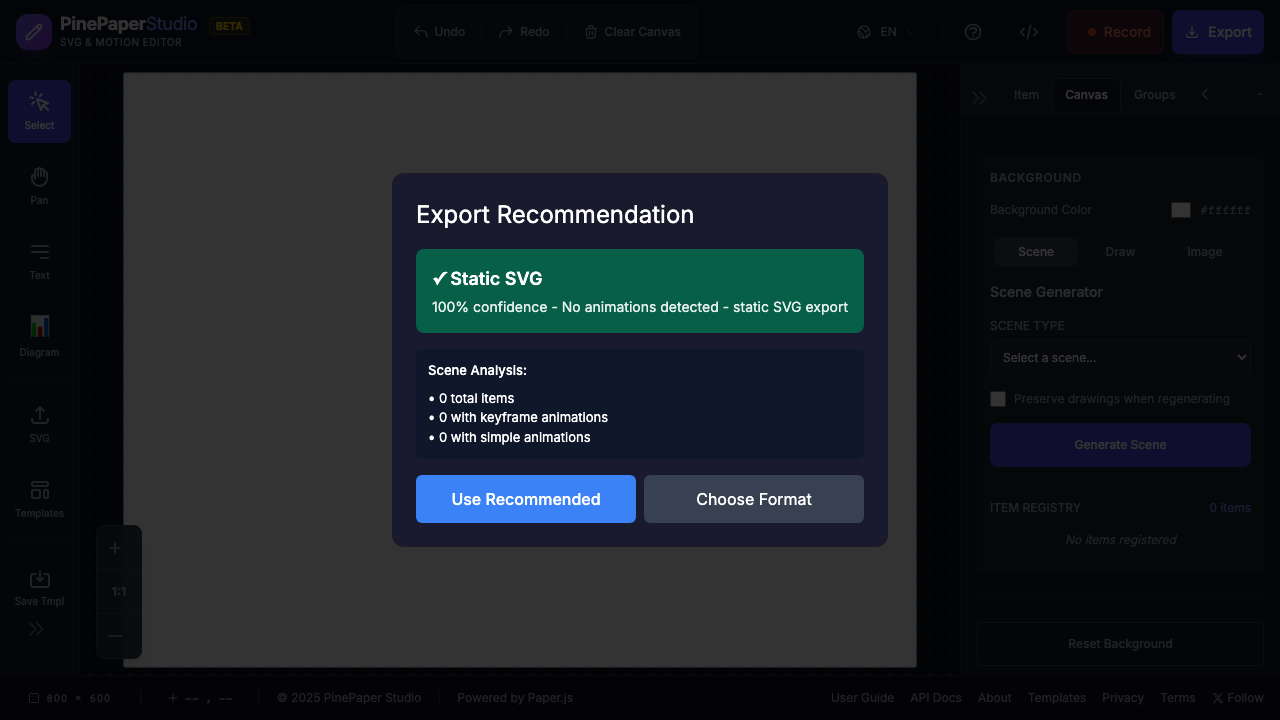
Choosing a Format
MP4 Video
Best for: Instagram Reels, TikTok, Facebook, LinkedIn
- Full animation support including effects
- Configurable duration and frame rate
- Requires Chrome 94+, Edge, or Safari 16.4+
GIF
Best for: Twitter/X, Discord, Slack, messaging apps
- Widely supported everywhere
- Larger file sizes than MP4
- Configurable quality levels
Animated SVG
Best for: Web embedding, scalable graphics
- Infinitely scalable (vector)
- Small file size
- Some animations not supported
PDF for Print
Best for: Commercial printing, print shops, professional materials
- 300 DPI print resolution
- Bleed and trim marks for professional printing
- Standard paper sizes (A3, A4, Letter, etc.)
- Ideal for posters, flyers, business cards
Lottie
Best for: Web players, mobile apps, After Effects import
- Industry-standard animation format
- Tiny file sizes (JSON-based)
- Auto-bakes procedural animations (orbits, wiggle, bone_attached) into native Lottie keyframes
- Plays in any Lottie-compatible player (LottieFiles, Bodymovin, etc.)
Interactive Widget
Best for: Website embeds, animated overlays, standalone demos
- Self-contained HTML file — no CDN, no API, no dependencies
- Scene-specific: only includes the code needed for your design (~8-20KB)
- WASM-accelerated computation when browser supports WebAssembly (falls back to JS)
- Uses the pp:PinePaper ontology — 25 relation types, keyframe animations, animated masks
- Supports transparent backgrounds for overlay use cases
- Responsive — scales to any container size
PNG (Static)
Best for: Thumbnails, static posts, high-DPI print
- Single frame capture
- Up to 600 DPI for print quality
- Perfect for online printing services
Export Settings
Duration
For video and GIF exports, choose how long your animation runs:
- 3 seconds
- 5 seconds
- 10 seconds
- 15 seconds
Frame Rate (MP4 only)
- 24 fps — Cinematic look
- 30 fps — Standard video (recommended)
- 60 fps — Smooth motion
Quality (GIF only)
- Low — Smaller file, faster
- Medium — Balanced (recommended)
- High — Best quality, larger file
Platform Recommendations
| Platform | Recommended Format | Size |
|---|---|---|
| Instagram Post | MP4 | 1080×1080 |
| Instagram Story | MP4 | 1080×1920 |
| Twitter/X | GIF | 1200×675 |
| MP4 | 1200×628 | |
| MP4 | 1200×628 | |
| TikTok | MP4 | 1080×1920 |
| Discord | GIF | Any |
| Web Embed (Static) | SVG | Any |
| Web Embed (Animated) | Widget | Any |
| Animated Overlay | Widget | Any (transparent bg) |
| Commercial Print | A4, A3, Letter | |
| Online Print Services | PNG (300 DPI) | Varies |
Tips
Export Tips:
- Use canvas size presets to match your target platform
- Test your export on the actual platform before publishing
- Keep animations under 5 seconds for social media
Encountering Export Issues?
Export quality and performance depend on your browser and device capabilities. Common limitations include:
- High-DPI exports may fail on devices with limited memory
- MP4 export requires Chrome 94+, Edge, or Safari 16.4+
- Complex animations may cause choppy playback during encoding
Want server-side exports? If browser limitations are blocking your workflow, vote for the Cloud Export API feature on UserJot. This will help us prioritize building backend export services for reliable, high-quality exports regardless of your device.