Mask Animations
Create professional reveal effects using animated masks. Masks clip content and can animate to reveal items over time - perfect for title sequences, transitions, and cinematic effects.
Available Mask Animations
| Animation | Effect | Best For |
|---|---|---|
| Wipe Up/Down | Content reveals from top or bottom | Text titles, quotes |
| Wipe Left/Right | Horizontal reveal | Transitions, reveals |
| Iris | Circle expands from center | Dramatic reveals, focus |
| Iris Out | Circle shrinks to center | Fade outs, transitions |
| Star Mask | Star shape reveals content | Playful reveals |
| Heart Mask | Heart shape reveals content | Valentine, romance themes |
| Curtain | Opens from center | Stage/theater effects |
| Diagonal Wipe | Angled reveal | Dynamic transitions |
| Cinematic | Letterbox bars animate | Film-style intros |
Using Mask Templates
The easiest way to use mask animations is through templates:
- Open the Templates Panel (click Templates tab or press
T) - Filter by Category: Masking
- Click a template to preview it
- Click Use Template to apply it
Available Masking Templates
| Template | Description |
|---|---|
| Text Reveal Up | Lines slide up one by one |
| Text Reveal Down | Lines slide down |
| Horizontal Wipe | Content wipes from left |
| Iris Reveal | Circle expands to reveal |
| Star Mask | Star shape reveal |
| Heart Mask | Heart shape reveal |
| Diagonal Wipe | Angled transition |
| Cinematic Intro | Film-style letterbox |
How Mask Animations Work
Animated masks work by clipping content with a shape that changes over time:
- Mask Shape - The clip boundary (rectangle, circle, star, heart)
- Animation Type - How the mask moves (wipe, iris, scale)
- Timing - Start time, duration, and easing
- Direction - Which way the reveal happens
Timing Parameters
- Start Time - When the reveal begins (in seconds)
- Duration - How long the reveal takes
- Easing - Animation curve (linear, easeIn, easeOut, easeInOut)
Staggered Text Reveals
For multi-line text, stagger the start times for a cascading effect:
| Line | Start Time | Effect |
|---|---|---|
| Line 1 | 0.2s | Reveals first |
| Line 2 | 0.35s | Reveals second |
| Line 3 | 0.5s | Reveals third |
This creates the classic “line-by-line reveal” seen in professional motion graphics.
Combining with Other Effects
Mask animations work well with:
- Keyframe animations - Move items while they reveal
- Simple animations - Add pulse or fade after reveal
- Background generators - Reveal content over animated backgrounds
Image Masking (Static)
For static shape masking on images:
- Select an imported image
- In the Properties Panel, click Mask
- Choose a shape (circle, star, heart, hexagon, etc.)
- Adjust the mask size and position
- Click Apply Mask
This creates a permanent crop to the shape (not animated).
Tips for Best Results
- Keep reveals short - 0.4-0.8 seconds works best
- Use easeOut - Feels more natural for reveals
- Stagger consistently - 0.1-0.2s between lines
- Match your content - Use iris for dramatic, wipe for professional
- Preview at full speed - Test timing feels right
Mask Modes
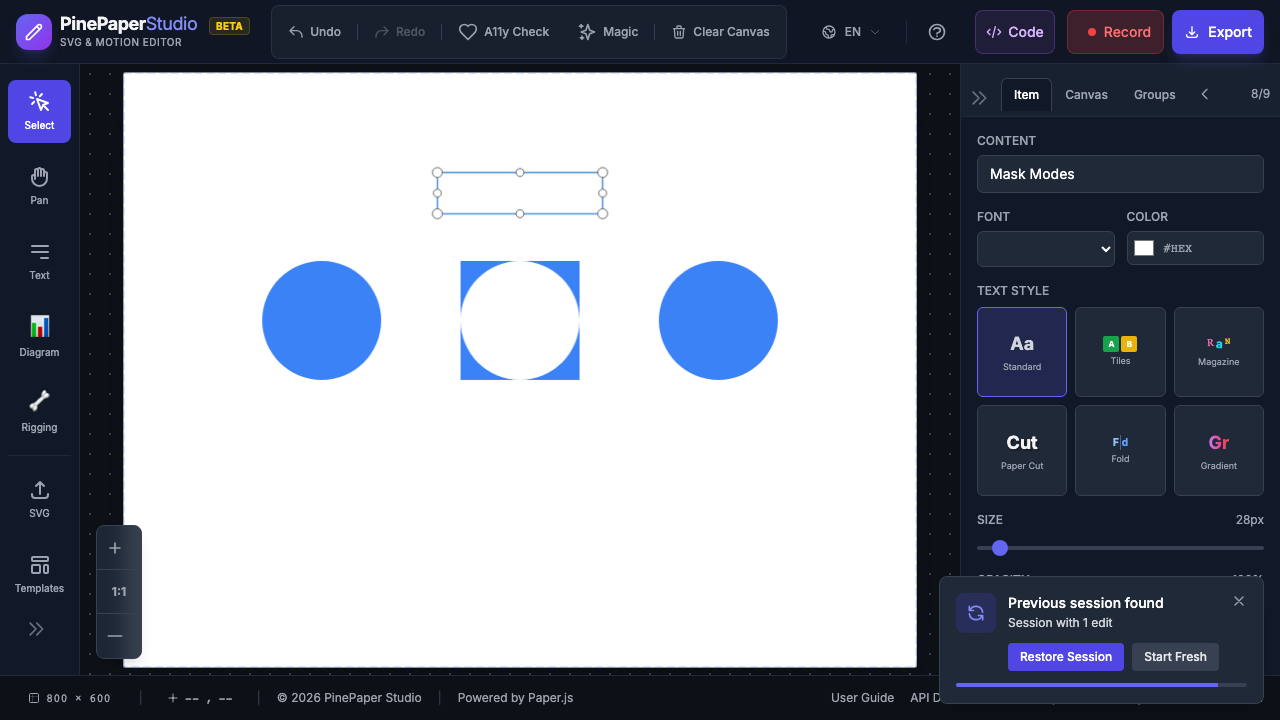
Control how the mask shape interacts with your content:
| Mode | Effect | Use Case |
|---|---|---|
| Clip (default) | Content visible only inside mask shape | Standard reveals, framing |
| Subtract | Content visible everywhere except inside mask shape | Cutout effects, holes |
| Intersect | Content visible only where mask overlaps | Venn diagram effects |
To change the mask mode:
- Select the masked item
- In the Properties panel, find the mask mode dropdown
- Choose Clip, Subtract, or Intersect
Mask Stacking
Apply multiple masks to a single item for complex masking effects:
- Apply an initial mask (e.g., circle)
- Add a second mask layer with a different mode:
- Add - Unites both mask shapes (visible in either)
- Subtract - Cuts the second shape out of the first
- Intersect - Only the overlapping area is visible
Example: Circle with Star Cutout
- Apply a circle mask (clip mode)
- Add a star mask layer (subtract mode)
- Result: circular frame with a star-shaped hole in the center
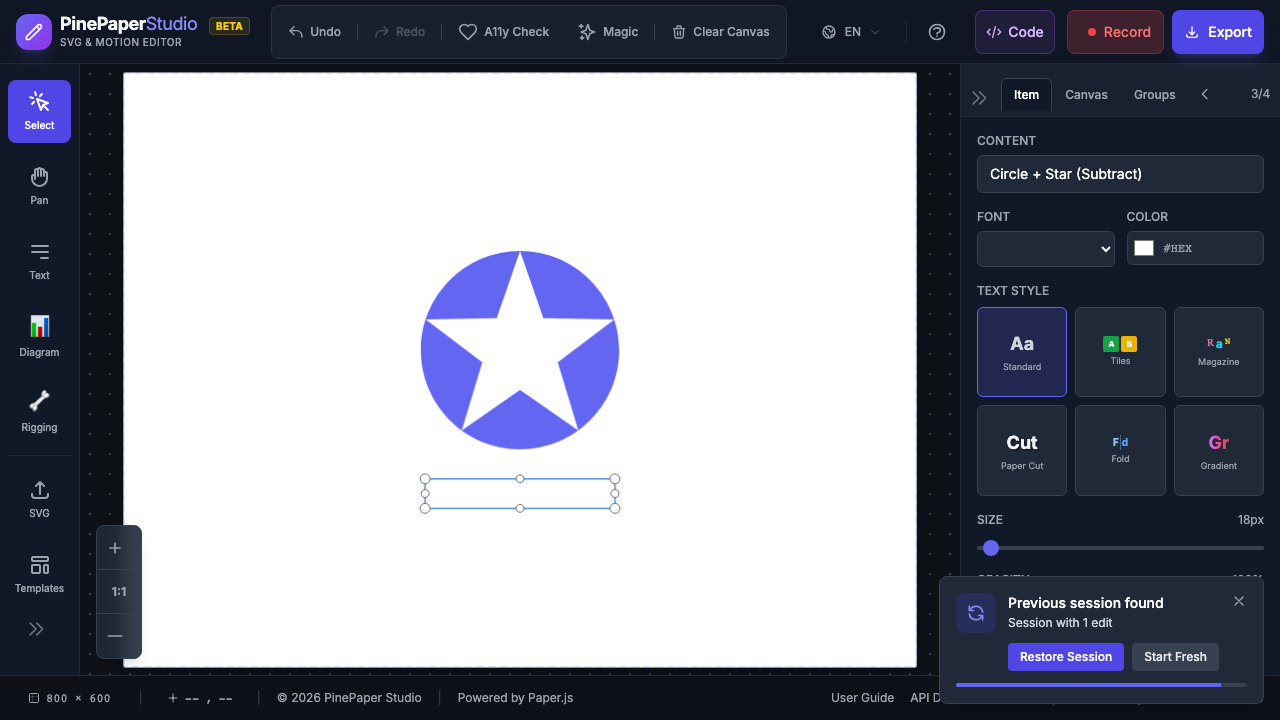
You can stack as many mask layers as needed. Remove individual layers without affecting others.
Vertex Animation
Animate the mask shape itself by morphing its vertices between two states:
- Define the starting mask shape (vertex positions)
- Define the ending mask shape (vertex positions)
- The mask smoothly morphs between shapes during playback
This creates organic, flowing mask transitions that go beyond simple scale and position animations.
Technical Notes
- Masks use Paper.js clipped groups internally
- Scale-based masks (star, heart) scale from center
- Rectangle masks change dimensions for wipe effects
- Masks are rebuilt when loading templates
- For full programmatic control, see the API documentation for
applyCustomMask()
Related: Animations | Keyframe Editor | Templates