Generator Panel
Create procedural backgrounds with built-in generators. PinePaper includes 14 generators across patterns, effects, organic, particles, and texture categories.
Accessing Generators
- Click the Scene tab in the right panel
- Set Background Mode to Generator
- Select a generator from the dropdown
- Adjust parameters
- Click Generate
Core Generators
Sunburst
Radial rays emanating from the center with optional rotation animation.
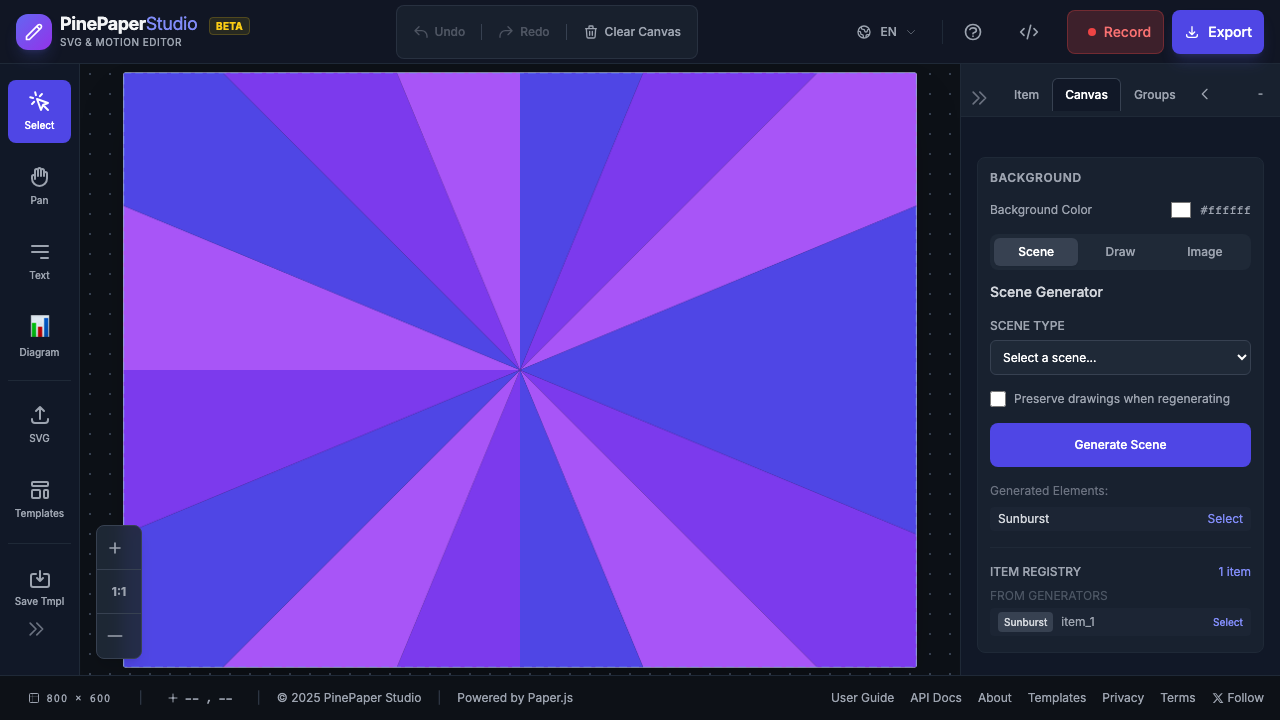
| Parameter | Description |
|---|---|
| Colors | Ray colors (multiple) |
| Ray Count | Number of rays |
| Ray Gap | Spacing between rays |
| Gradient Rays | Enable gradient fill on rays |
| Background | Base color |
Grid
Customizable grid of shapes — circles, squares, diamonds, triangles, stars, or hexagons.
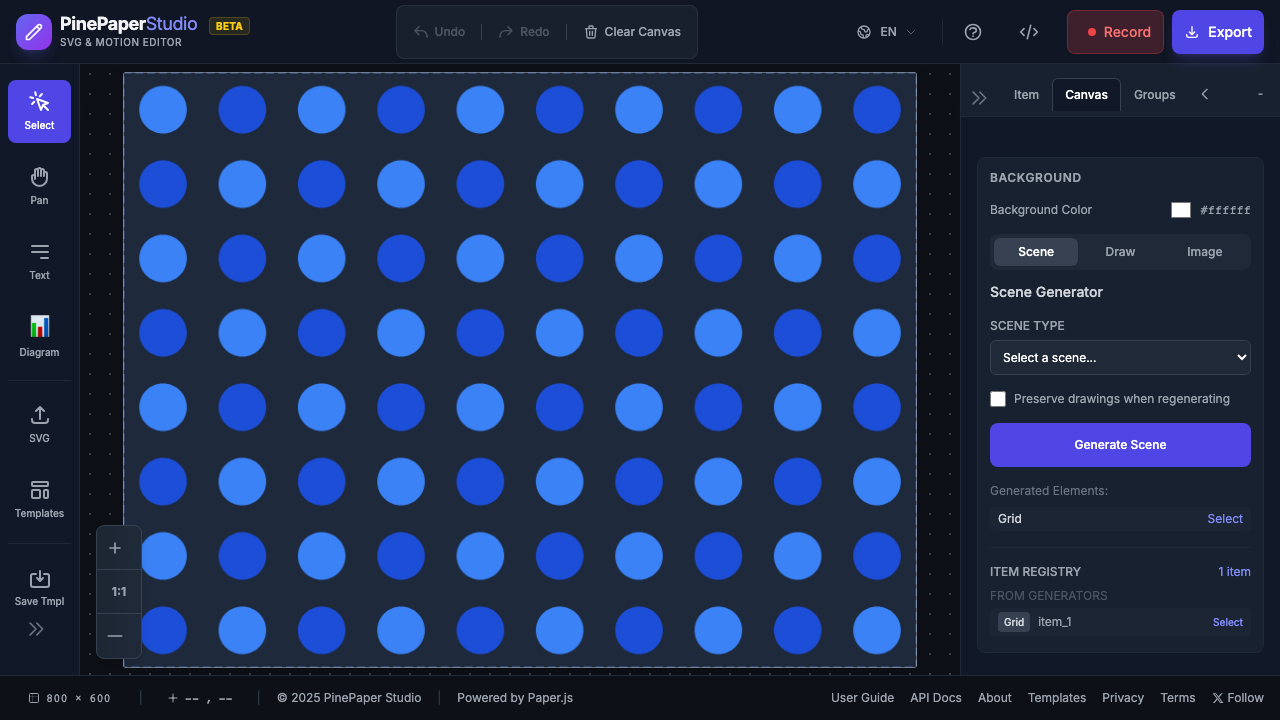
| Parameter | Description |
|---|---|
| Shape | Circle, Square, Diamond, Triangle, Star, or Hexagon |
| Rows / Cols | Grid dimensions |
| Size / Gap | Element size and spacing |
| Color Mode | Checkerboard, Gradient, Random, Rows, or Columns |
| Animation | None, Pulse, Rotate, Wave, or Bounce |
| Background | Base color |
Waves
Animated flowing wave lines with optional fill.
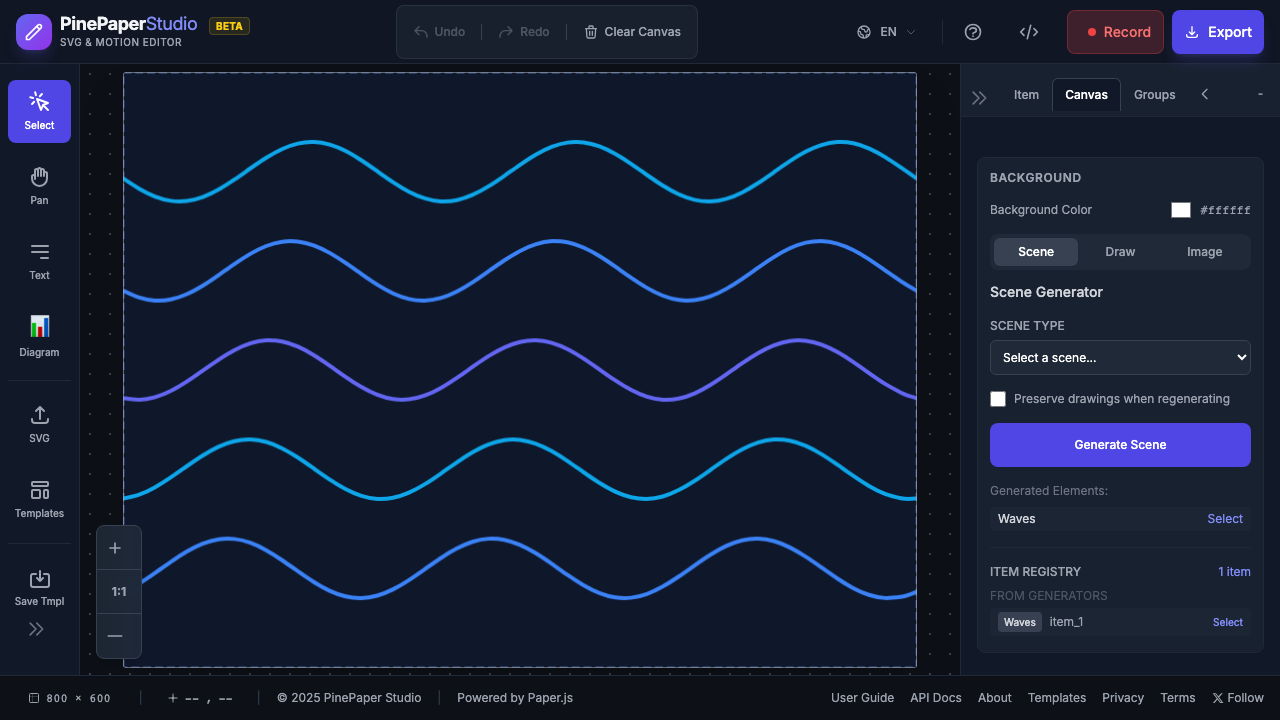
| Parameter | Description |
|---|---|
| Colors | Wave colors (multiple) |
| Wave Count | Number of wave layers |
| Amplitude | Wave height |
| Frequency | Wave tightness |
| Fill | Enable filled waves |
| Background | Base color |
Geometric Pattern
Rotating geometric shapes in orbit — supports multiple concentric layers.
| Parameter | Description |
|---|---|
| Base Shape | Shape type for orbiting elements |
| Repetitions | Number of shapes per ring |
| Orbit Radius | Distance from center |
| Layers | Number of concentric rings |
| Layer Scale Decay | How much each inner layer shrinks |
| Background | Base color |
Circuit
Tech-inspired circuit board pattern with animated pulses.
| Parameter | Description |
|---|---|
| Density | Sparse, Medium, or Dense |
| Line Width | Trace thickness |
| Node Size | Connection point size |
| Chip Density | Auto, None, Low, Medium, or High |
| Glow Enabled | Neon glow effect |
| Background | Base color |
Sunset Scene
Animated sunset with sun, clouds, optional stars, and water reflection.
| Parameter | Description |
|---|---|
| Sky Colors | Sky gradient |
| Sun Color | Sun core and glow colors |
| Sun Radius / Y | Sun size and vertical position |
| Cloud Count / Speed | Number and speed of clouds |
| Star Count | Night sky stars |
| Reflection | Water reflection enabled/opacity |
Stacked Circles
Overlapping circles with depth effect and various distributions.
| Parameter | Description |
|---|---|
| Colors | Circle colors |
| Count | Number of circles |
| Distribution | Random, Poisson, or Golden |
| Min/Max Radius | Circle size range |
| Animation Type | Pulse, Float, or None |
Effect Generators
Bokeh
Soft blurred circles simulating a depth-of-field camera effect.
| Parameter | Description |
|---|---|
| Colors | Circle colors |
| Circle Count | Number of bokeh circles |
| Min/Max Size | Size range |
| Blur Amount | Softness level |
| Blend Mode | Normal, Screen, Multiply, etc. |
Geometric Abstract
Overlapping translucent shapes with blend modes for modern abstract backgrounds.
| Parameter | Description |
|---|---|
| Shape Types | Mixed, Triangles, Rectangles, Circles, or Hexagons |
| Shape Count | Number of shapes |
| Min/Max Size | Size range |
| Opacity Range | Transparency range |
| Blend Mode | Normal, Screen, Multiply, etc. |
Organic Generators
Gradient Mesh
Multi-color gradient blobs for modern mesh backgrounds.
| Parameter | Description |
|---|---|
| Colors | Blob colors |
| Blob Count | Number of gradient blobs |
| Min/Max Size | Blob size range |
| Blur Radius | How soft the blob edges are |
Organic Flow
Aurora/silk flowing layers for ethereal backgrounds.
| Parameter | Description |
|---|---|
| Colors | Flow layer colors |
| Layer Count | Number of flowing layers |
| Amplitude | Wave height |
| Speed | Animation speed |
| Fill Enabled | Filled vs stroke layers |
Fluid Flow
Smooth flowing river/stream patterns.
| Parameter | Description |
|---|---|
| Colors | Stream colors |
| Stream Count | Number of streams |
| Flow Speed | Animation speed |
| Turbulence | Randomness level |
| Direction | Horizontal, Vertical, or Diagonal |
Particle Generators
Wind Field
Animated directional wind particles with trails.
| Parameter | Description |
|---|---|
| Colors | Particle colors |
| Particle Count | Number of particles |
| Wind Direction | Angle of wind |
| Wind Speed | Particle velocity |
| Turbulence | Randomness |
| Trail Length / Width | Particle trail size |
Texture Generators
Noise Texture
Perlin noise, film grain, and stipple textures.
| Parameter | Description |
|---|---|
| Noise Type | Perlin, Grain, or Stipple |
| Scale | Texture scale |
| Intensity | How pronounced the texture is |
| Density | Point density (for Stipple) |
Common Parameters
Most generators share these parameters:
| Parameter | Description |
|---|---|
| Background Color | Base canvas color |
| Colors | Element colors (array) |
| Opacity | Element transparency (0–1) |
| Blend Mode | Normal, Screen, Multiply, Overlay, Soft Light |
| Animated | Enable animation loop |
| Animation Speed | Speed multiplier |
Regenerating
Click Generate again to create a new variation with the same settings.
Show / Hide on the Timeline
Once a generator is active, a fuchsia row appears in the Timeline Panel covering the whole canvas timeline. The bar is the generator’s visibility window:
- Drag the bar’s body to shift the window in time (the effect appears/disappears at different points).
- Drag either edge to trim when the effect starts or stops.
- Splitting is not available — generators are effects, not clips, so cutting one in half would just produce two copies of the same animation.
Outside the window, the generator’s whole patternGroup hides and the canvas background reveals whatever sits beneath it (a solid color, a drawing, etc.).
Clearing Background
- Set Background Mode to Solid Color
- Or click Clear Background
Tips
Design Tips:
- Sunburst works great for announcements and sale graphics
- Grid is perfect for tech/modern themes
- Waves suit calm, flowing content
- Bokeh adds cinematic depth behind text
- Gradient Mesh creates modern app-style backgrounds
- Organic Flow works well for ethereal/dreamy aesthetics
- Wind Field adds dynamic energy to designs
- Match generator colors to your text for cohesion