Relations
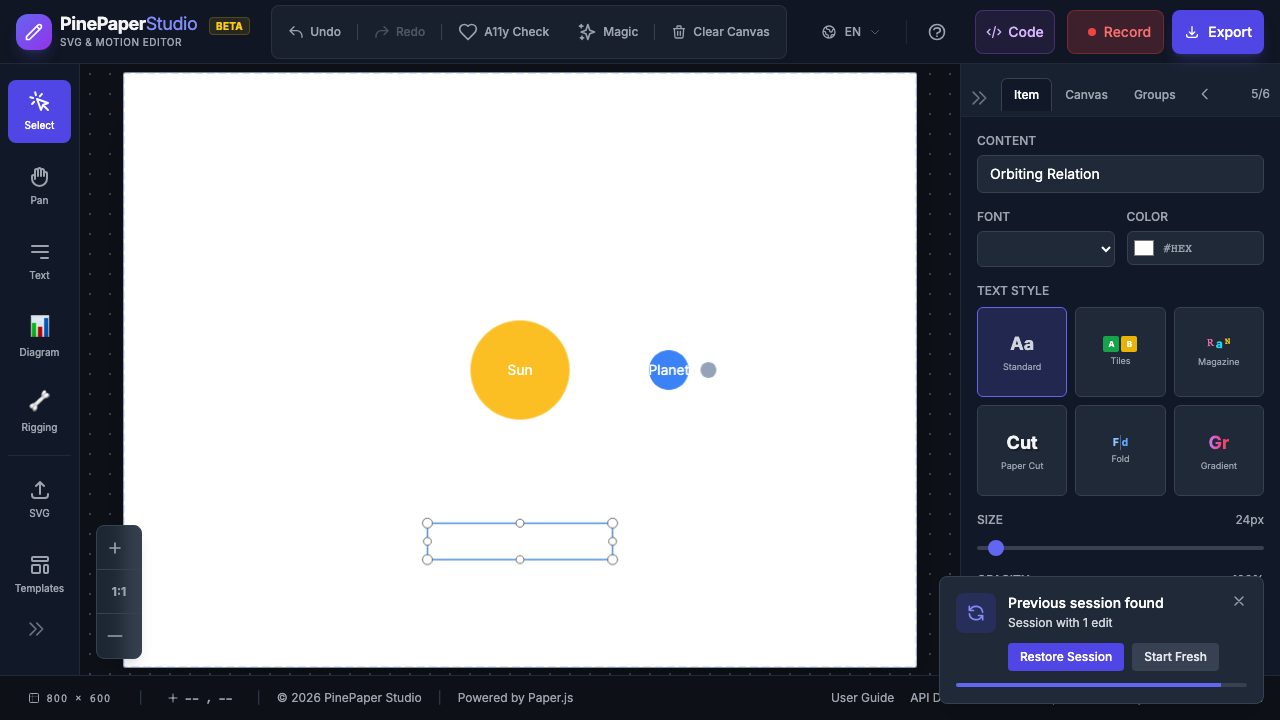
Relations are behavior-driven links between items. Instead of manually keyframing every movement, you can declare relationships like “this moon orbits that planet” and PinePaper handles the animation automatically.
Core Relation Types
| Relation | Description | Example Use |
|---|---|---|
| orbits | Circular motion around target | Moon orbiting a planet |
| follows | Moves toward target with smoothing | Label following a character |
| attached_to | Moves with target (fixed offset) | Hat on a character’s head |
| maintains_distance | Keeps fixed distance from target | Electrons around a nucleus |
| points_at | Rotates to face target | Arrow pointing at cursor |
| mirrors | Mirrors position across axis | Reflection effect |
| parallax | Depth-based movement | Background scrolling |
| bounds_to | Stays within defined bounds | Ball bouncing in a box |
Animation Relations
| Relation | Description | Example Use |
|---|---|---|
| grows_from | Scales from zero to full size | Items appearing in sequence |
| staggered_with | Group animation with stagger | Title letters appearing one by one |
| indicates | Temporary highlight pulse | Drawing attention to an item |
| circumscribes | Draws shape around target | Highlighting a key element |
| wave_through | Wave distortion effect | Ripple through a line of items |
| morphs_to | Shape morphing animation | Shape transitioning to another |
| camera_follows | View pans to follow target | Camera tracking a character |
| camera_animates | Keyframe camera zoom/pan | Cinematic zoom sequences |
Procedural Animation Relations
These relations create animation without needing a target item:
| Relation | Description | Example Use |
|---|---|---|
| driven_by | Property follows another property | Opacity controlled by position |
| wiggle | Procedural noise motion | Jittery, organic movement |
| time_expression | Math expression over time | Sine wave oscillation |
Adding Relations
From the UI
- Select the source item (the one that will move)
- Open the Relations section in the Properties panel
- Choose a relation type
- Select the target item (the one to relate to)
- Adjust parameters as needed
Relation Parameters
Each relation type has specific parameters:
orbits:
| Parameter | Description | Default |
|---|---|---|
| radius | Distance from target | 100 |
| speed | Rotation speed | 0.5 |
| direction | clockwise or counter-clockwise |
clockwise |
| phase | Starting angle (radians) | 0 |
follows:
| Parameter | Description | Default |
|---|---|---|
| offset | [x, y] offset from target | [0, 0] |
| smoothing | Movement smoothing (0-1) | 0.1 |
| delay | Follow delay in seconds | 0 |
wiggle:
| Parameter | Description | Default |
|---|---|---|
| frequency | Oscillations per second | 2 |
| amplitude | Maximum displacement (px) | 10 |
| property | position, rotation, opacity, scale |
position |
| seed | Reproducible seed value | 0 |
time_expression:
| Parameter | Description |
|---|---|
| property | Which property to animate (x, y, rotation, opacity, scale) |
| expression | Math expression using t (time) and v (base value) |
Available functions: sin, cos, abs, floor, ceil, sqrt, pow, min, max, clamp, lerp, smoothstep
Time-Scoped Relations
Relations can be active only during a specific time window:
| Parameter | Description |
|---|---|
| startTime | When the relation activates (seconds) |
| endTime | When the relation deactivates (seconds) |
| autoRemove | Automatically remove after endTime |
This lets you create sequences where items change behavior over time - for example, an item orbits for 3 seconds, then follows for 2 seconds.
Camera Animation
The camera_animates relation creates cinematic zoom and pan sequences:
- Add the
camera_animatesrelation to create keyframed camera movements - Define zoom levels and center positions at different times
- The viewport smoothly animates between keyframes
This is perfect for presentations, tutorials, and cinematic intros where you want to guide the viewer’s attention.
Tips
Composable: Multiple relations can be applied to the same item. They apply in sequence each frame, so you can combine orbits with wiggle for complex organic motion.
- Start simple - Begin with
followsorattached_tobefore trying complex setups - Use time-scoping - Create sequences by giving relations different time windows
- Combine with keyframes - Relations and keyframe animations can work together
- Preview often - Play the timeline to see how relations interact
Related: Animations | Keyframe Editor