Tutorial: Create an Animated Motivational Post
Learn to create an eye-catching animated motivational quote for Instagram Stories using Letter Collage animations.
Time: 10 minutes Difficulty: Beginner
What You’ll Create
A stunning animated motivational quote with three phrases, each using different letter collage styles and staggered reveal animations.
Features You’ll Learn
- Letter Collage styles — Neon tiles, magazine cutouts, paper cut effects
- Staggered animations — Letters appearing one by one
- Background generators — Animated sunburst backgrounds
- Keyframe animations — Color transitions and sparkle effects
Step 1: Set Up Canvas
- Open PinePaper Editor
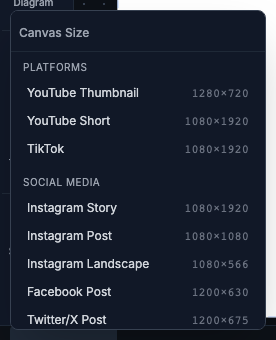
- Click the canvas size dropdown in the footer
- Select Instagram Story (1080×1920)
Step 2: Add Animated Background
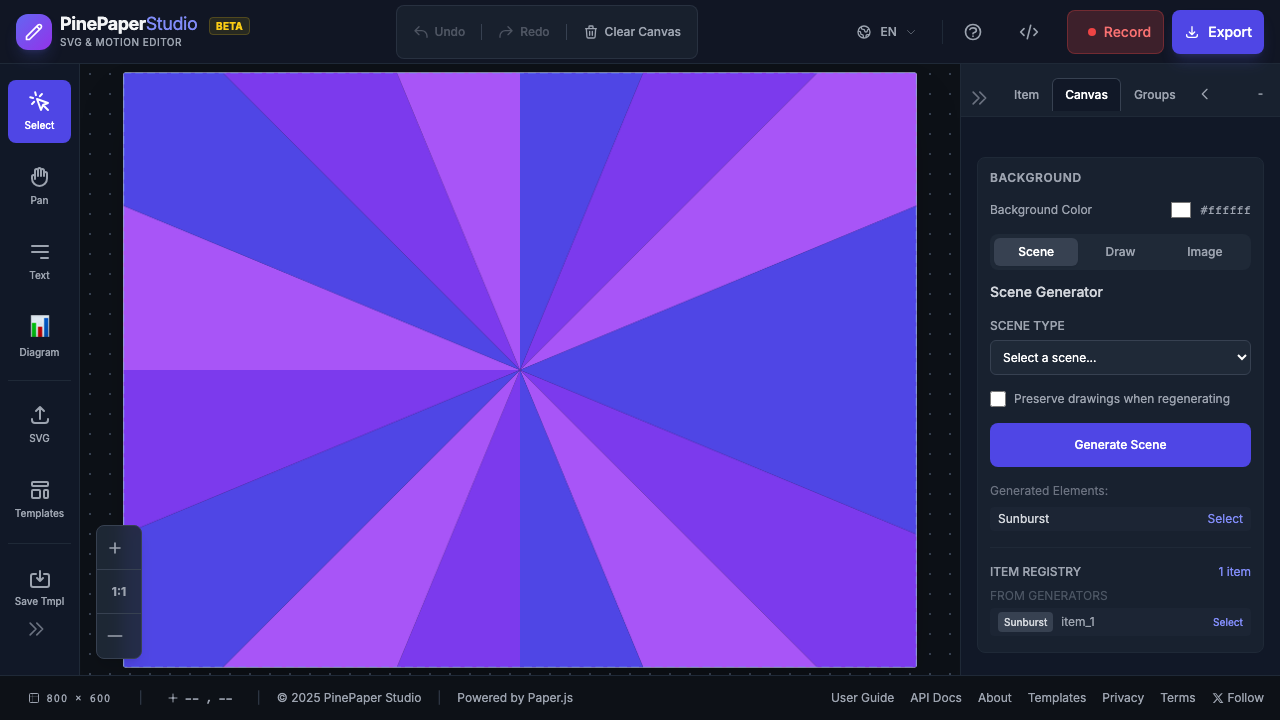
- Click the Scenes tab in the right panel
- Set Background Mode to Generator
- Select Sunburst
- Configure the colors:
- Color 1:
#FF6B6B(coral red) - Color 2:
#4ECDC4(teal) - Color 3:
#FFE66D(yellow)
- Color 1:
- Set Ray Count: 16
- Enable Animate and set Speed: 0.5
- Click Generate
Step 3: Create “DREAM BIG” Letter Collage
- Click the Letter Collage button in the toolbar (or press L)
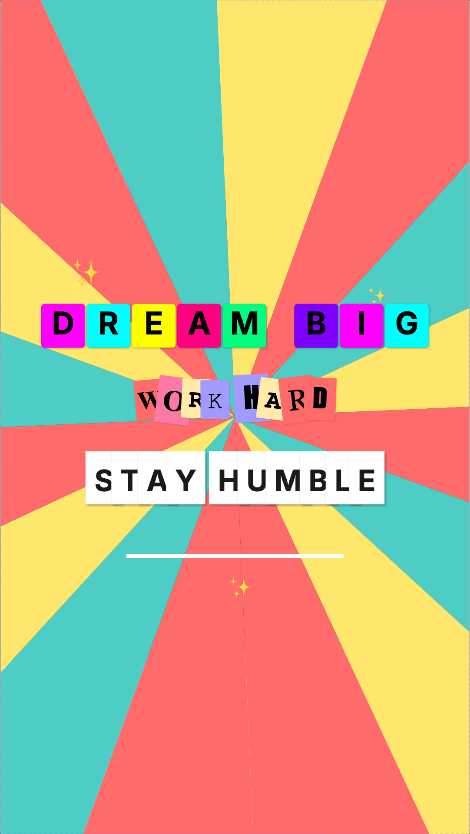
- Type: DREAM BIG
- Configure the style:
- Style: Tile
- Palette: Neon
- Font Size: 72
- Corner Radius: 8
- Enable Shadow
- Position at center-top area (x: 540, y: 750)
Code equivalent:
const dreamBig = app.letterCollage.create('DREAM BIG', {
  style: 'tile',
  palette: 'neon',
  x: 540,
  y: 750,
  fontSize: 72,
  cornerRadius: 8,
  shadowEnabled: true
});
Step 4: Add Staggered Animation to “DREAM BIG”
- With the collage selected, open the Timeline Panel
- Click Add Staggered Animation
- Configure:
- Effect: Pop In
- Stagger Delay: 0.08s
- Duration: 0.5s
- Sequence: Linear (left to right)
- Easing: easeOut
Code equivalent:
app.letterCollage.applyStaggeredAnimation(dreamBig.collageId, {
  effect: 'popIn',
  staggerDelay: 0.08,
  duration: 0.5,
  sequence: 'linear',
  easing: 'easeOut'
});
Step 5: Create “WORK HARD” Letter Collage
-
Create another Letter Collage with:
- Text: WORK HARD
- Style: Magazine (ransom note look)
- Palette: Magazine
- Font Size: 60
- Position: (540, 920)
-
Add staggered animation:
- Effect: Fade Slide Up
- Stagger Delay: 0.1s
- Sequence: Wave (flowing reveal)
Code equivalent:
const workHard = app.letterCollage.create('WORK HARD', {
  style: 'magazine',
  palette: 'magazine',
  x: 540,
  y: 920,
  fontSize: 60
});

app.letterCollage.applyStaggeredAnimation(workHard.collageId, {
  effect: 'fadeSlideUp',
  staggerDelay: 0.1,
  duration: 0.6,
  sequence: 'wave',
  easing: 'easeOut'
});
Step 6: Create “STAY HUMBLE” Letter Collage
-
Create the third Letter Collage:
- Text: STAY HUMBLE
- Style: Paper Cut (3D shadow effect)
- Font Size: 68
- Position: (540, 1100)
-
Add staggered animation with bounce:
- Effect: Pop In
- Stagger Delay: 0.06s
- Sequence: Center (reveals from middle outward)
- Easing: Bounce
Code equivalent:
const stayHumble = app.letterCollage.create('STAY HUMBLE', {
  style: 'paperCut',
  x: 540,
  y: 1100,
  fontSize: 68
});

app.letterCollage.applyStaggeredAnimation(stayHumble.collageId, {
  effect: 'popIn',
  staggerDelay: 0.06,
  duration: 0.4,
  sequence: 'center',
  easing: 'bounce'
});
Step 7: Add Decorative Accent Line
-
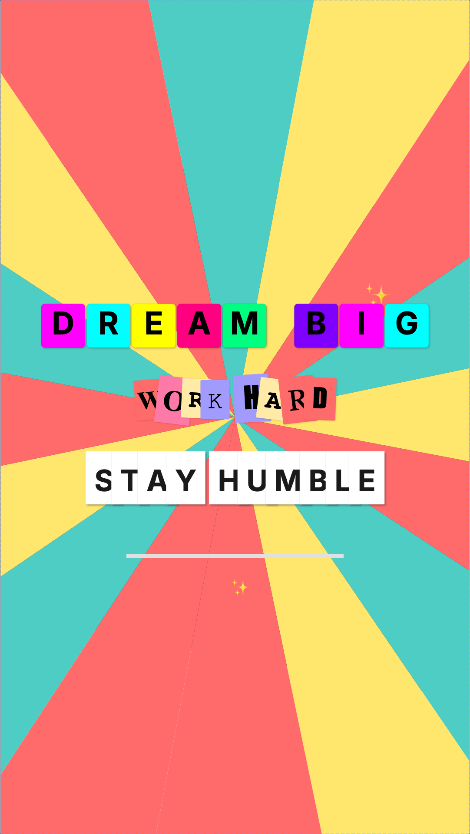
Create a rectangle for a decorative divider:
- Width: 500, Height: 8
- Color: White (
#FFFFFF) - Position below the phrases
-
Add keyframe animation for color pulsing:
Code equivalent:
const accentLine = app.create('rectangle', {
  x: 540, y: 1280,
  width: 500, height: 8,
  color: '#FFFFFF'
});

app.addAnimation(accentLine.data.id, [
  { time: 1.5, properties: { opacity: 0, scaleX: 0 } },
  { time: 2.0, properties: { opacity: 1, scaleX: 1 }, easing: 'easeOut' },
  { time: 3.0, properties: { fillColor: '#FFFFFF' } },
  { time: 3.8, properties: { fillColor: '#000000' }, easing: 'easeInOut' },
  { time: 4.6, properties: { fillColor: '#FFFFFF' }, easing: 'easeInOut' }
]);
Step 8: Preview and Play
- Press Space to play the animation
- The Timeline shows a 6-second loop
- Watch the staggered reveals:
- “DREAM BIG” pops in letter by letter
- “WORK HARD” slides up with a wave effect
- “STAY HUMBLE” bounces from the center outward
Step 9: Export
For Instagram Story (Video)
- Click Export button
- Select WebM (recommended) or MP4
- Configure:
- Duration: 6 seconds
- Frame Rate: 30 fps
- Quality: High
- Click Export and wait for download
For Other Platforms
| Platform | Format | Notes |
|---|---|---|
| Instagram Story | MP4/WebM | 1080×1920, up to 15s |
| Instagram Post | MP4 | Change canvas to 1080×1080 |
| TikTok | MP4 | 1080×1920, same as Story |
| Twitter/X | GIF | Better auto-play support |
Complete Code
Here’s the full code to recreate this animation:
// Setup canvas
app.setCanvasSize('instagram-story');

// Animated sunburst background
app.executeGenerator('drawSunburst', {
  colors: ['#FF6B6B', '#4ECDC4', '#FFE66D'],
  rayCount: 16,
  animate: true,
  animationSpeed: 0.5
});

// "DREAM BIG" - Neon tile style
const dreamBig = app.letterCollage.create('DREAM BIG', {
  style: 'tile',
  palette: 'neon',
  x: 540, y: 750,
  fontSize: 72,
  cornerRadius: 8,
  shadowEnabled: true
});

app.letterCollage.applyStaggeredAnimation(dreamBig.collageId, {
  effect: 'popIn',
  staggerDelay: 0.08,
  duration: 0.5,
  sequence: 'linear',
  easing: 'easeOut'
});

// "WORK HARD" - Magazine ransom style
const workHard = app.letterCollage.create('WORK HARD', {
  style: 'magazine',
  palette: 'magazine',
  x: 540, y: 920,
  fontSize: 60
});

app.letterCollage.applyStaggeredAnimation(workHard.collageId, {
  effect: 'fadeSlideUp',
  staggerDelay: 0.1,
  duration: 0.6,
  sequence: 'wave',
  easing: 'easeOut'
});

// "STAY HUMBLE" - Paper cut style
const stayHumble = app.letterCollage.create('STAY HUMBLE', {
  style: 'paperCut',
  x: 540, y: 1100,
  fontSize: 68
});

app.letterCollage.applyStaggeredAnimation(stayHumble.collageId, {
  effect: 'popIn',
  staggerDelay: 0.06,
  duration: 0.4,
  sequence: 'center',
  easing: 'bounce'
});

// Accent line with color animation
const accentLine = app.create('rectangle', {
  x: 540, y: 1280,
  width: 500, height: 8,
  color: '#FFFFFF'
});

app.addAnimation(accentLine.data.id, [
  { time: 1.5, properties: { opacity: 0, scaleX: 0 } },
  { time: 2.0, properties: { opacity: 1, scaleX: 1 }, easing: 'easeOut' },
  { time: 3.8, properties: { fillColor: '#000000' }, easing: 'easeInOut' },
  { time: 4.6, properties: { fillColor: '#FFFFFF' }, easing: 'easeInOut' }
]);

// Play the 6-second loop
app.playKeyframeTimeline(6, true);
Quick Start: Use the Template
Instead of building from scratch, load the pre-built template:
- Open Templates Panel (right sidebar)
- Select category: Social Media
- Click Motivational Quote
- The template loads with all animations ready
Letter Collage Styles Reference
| Style | Look | Best For |
|---|---|---|
| Tile | Wordle/Scrabble blocks | Games, word puzzles |
| Magazine | Ransom note cutouts | Edgy, artistic |
| Paper Cut | 3D shadow depth | Craft aesthetic |
| Fold | Origami creases | Modern, dimensional |
| Gradient | Color-shifting letters | Vibrant, modern |
Stagger Sequence Patterns
| Sequence | Effect |
|---|---|
linear |
Left to right |
reverse |
Right to left |
center |
Middle outward |
random |
Random order |
wave |
Sine wave timing |
Pro Tips
Contrast matters — Light text on dark backgrounds (or vice versa) is essential for readability.
Stagger timing — 0.05-0.1s between letters feels natural. Too fast looks mechanical.
Mix styles — Using different Letter Collage styles for each phrase adds visual interest.
Bounce for emphasis — The
bounceeasing on “STAY HUMBLE” draws extra attention.
Next Steps
- Letter Collage Reference — All styles and options
- Keyframe Editor — Custom timing control
- Effects — Add sparkles and highlights
- Physics Animation — Advanced easing effects