Properties Panel
The Properties Panel shows settings for the selected item.
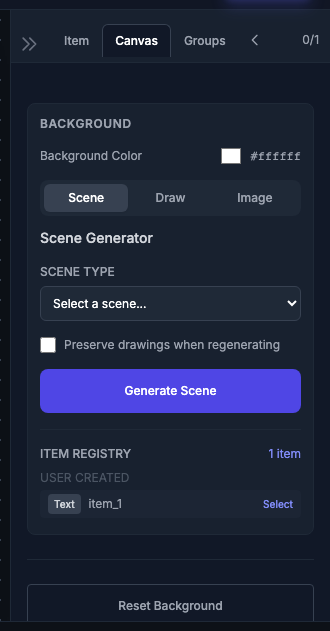
Location
The Properties Panel is on the right side of the screen. It updates automatically when you select different items.
Text Properties
When a text item is selected:
| Property | Description |
|---|---|
| Content | The text to display |
| Font Family | Font selection |
| Font Size | Size in pixels |
| Font Color | Text color picker |
| Position X/Y | Coordinates on canvas |
Shape Properties
When a shape is selected:
| Property | Description |
|---|---|
| Fill Color | Interior color |
| Stroke Color | Border color |
| Stroke Width | Border thickness |
| Position X/Y | Coordinates on canvas |
| Size | Width and height |
Animation Section
| Property | Description |
|---|---|
| Animation Type | Dropdown with animation presets |
| Animation Speed | Speed multiplier (0.5–2.0) |
Effects Section
| Control | Description |
|---|---|
| Add Effect | Button to add sparkle, blast, etc. |
| Effect List | Active effects with remove buttons |
Tips
Quick Edit: Double-click a text item to edit its content directly on the canvas.